Help Desk Management System
A centralized platform for IT and support teams to manage service requests, track agent performance, monitor departmental queues, and review SLA health through a real-time operational view.
-
01.
Request Capture
Users raise structured support requests with clear issue context, business impact, and routing-ready categorization.
-
02.
Smart Queue Routing
Requests are automatically routed to the right queue and accepted by available agents based on ownership and expertise.
-
03.
Resolution Intelligence
Teams resolve requests, document outcomes, and monitor trend-based SLA signals, escalations, and service quality insights.
Product Overview & Features
Operationally focused capabilities with real-time service insights for support leadership and teams.
System Overview, Technology & Setup
- Purpose: A centralized platform for IT and support teams to manage incoming requests, track team performance, monitor departmental queues, and analyze SLA compliance in real time.
- Environment: Web-based dashboard accessible via secure login and role-based controls.
- Workflow: Request Intake -> Queue Routing -> Agent Ownership -> Resolution -> Operational Reporting.
- Core Signals: demand trend, staffing coverage, SLA health, and escalation pressure.
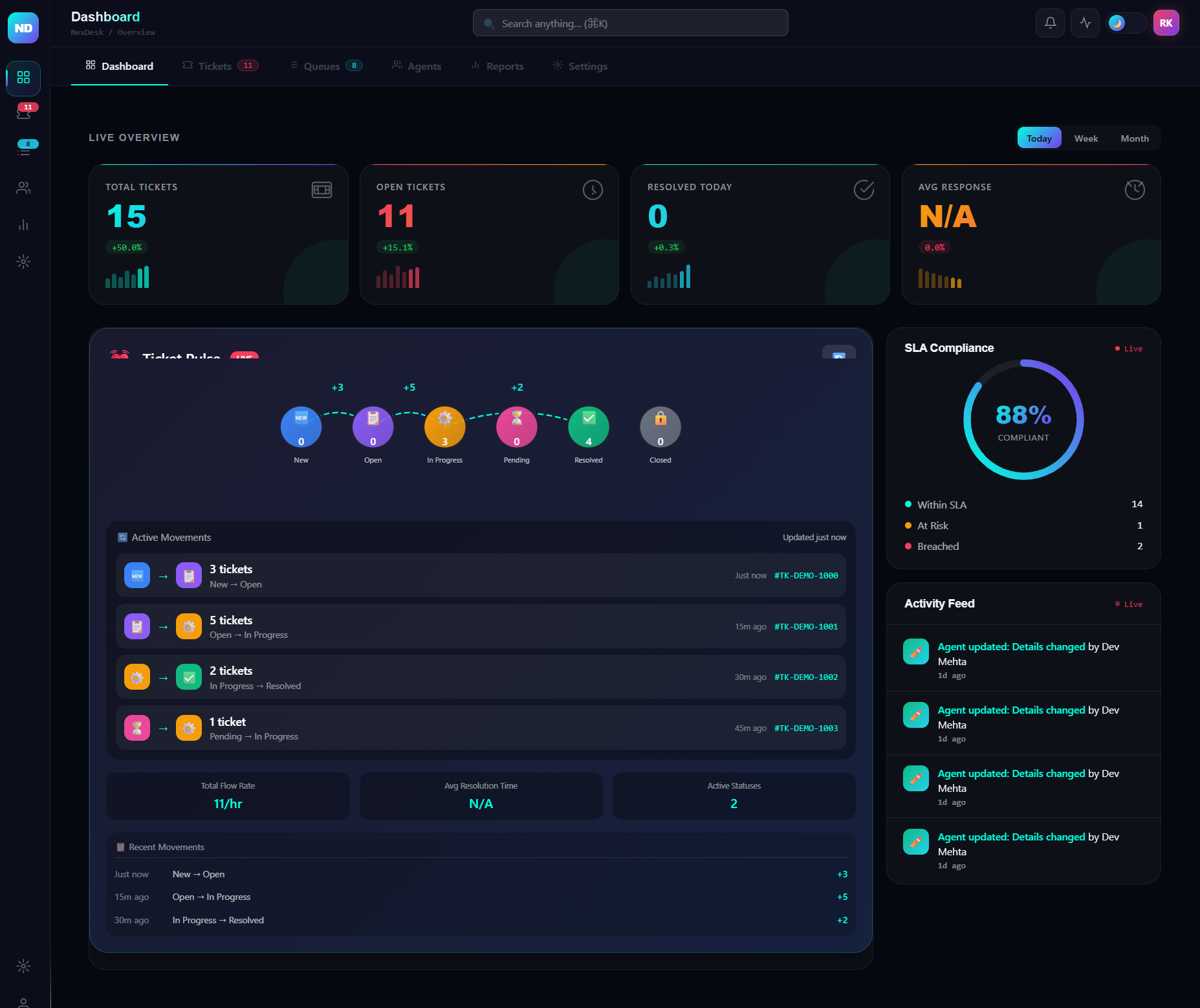
Dashboard (Home)
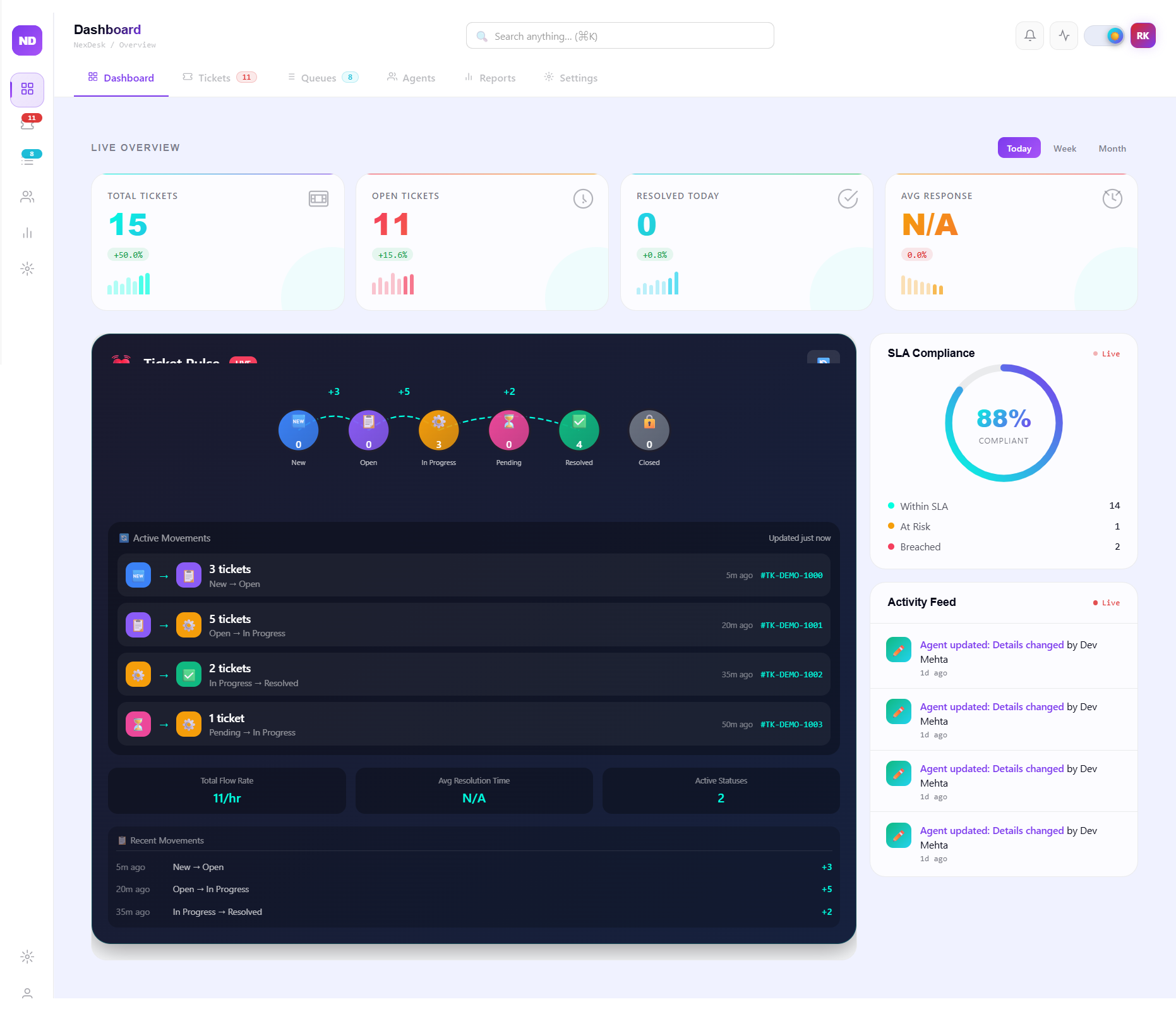
- Live monitoring includes total demand, open workload, same-day movement, and response behavior.
- SLA status is split into compliant, at-risk, and breached visibility for faster action.
- Activity flow highlights status transitions in real time to improve operational clarity.
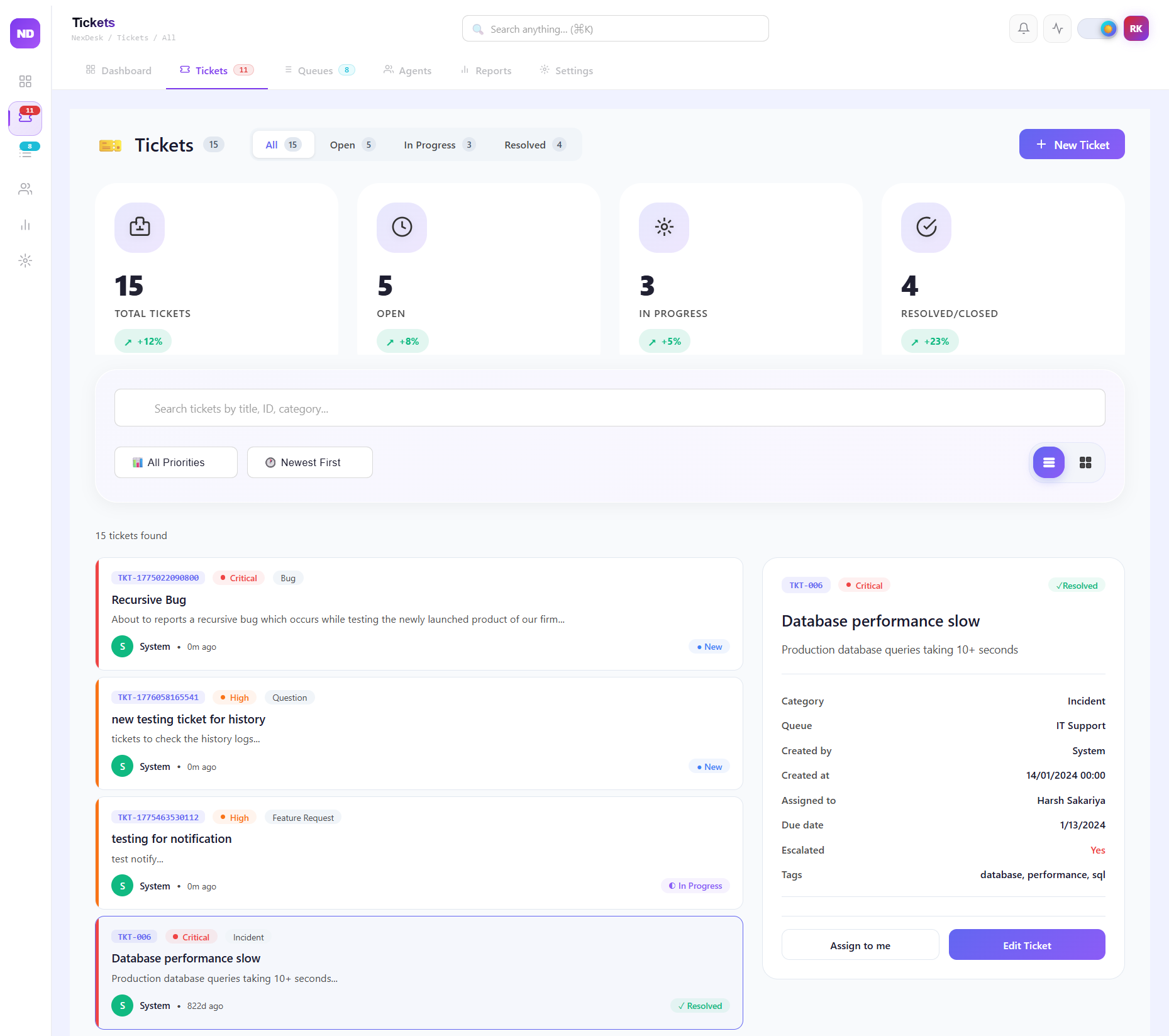
Ticket Operations
- Requests are listed with Ticket ID, Priority, Category, and concise issue summaries.
- Search, filter, and sorting controls support faster triage and ownership assignment.
- Structured detail views help teams move from diagnosis to resolution with minimal context loss.
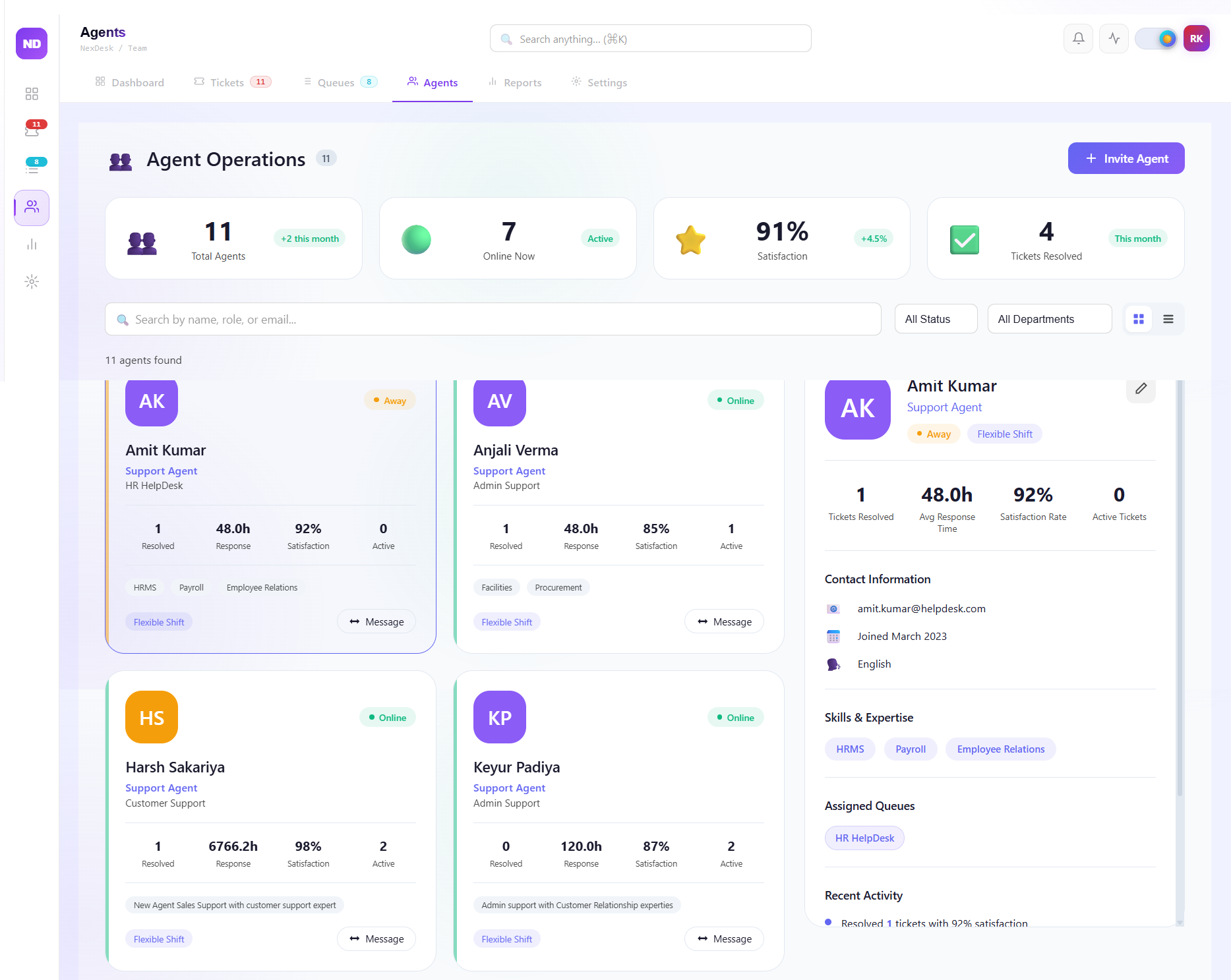
Agent Performance
- Agent directory tracks capacity, online availability, active ownership, and quality trends.
- Each card combines response behavior, resolution contribution, satisfaction view, and queue expertise.
- Leadership gets clear visibility for load balancing and performance coaching decisions.
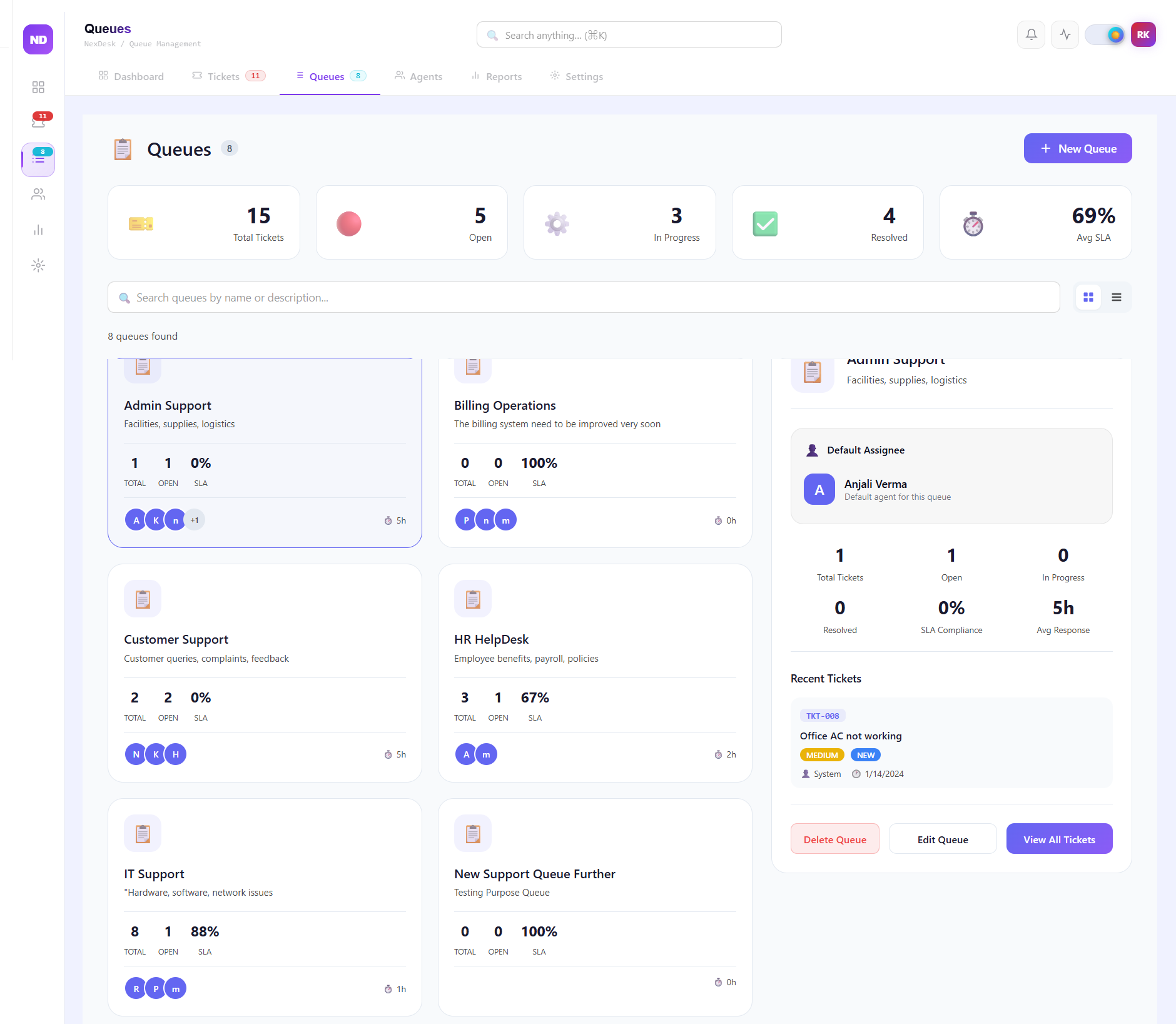
Queue Management
- Queue-level workload across IT, HR, Customer, and Billing remains visible in one panel.
- Queue SLA health helps teams identify intervention priority before service delays grow.
- Departmental views support fast escalation routing and focused staffing decisions.
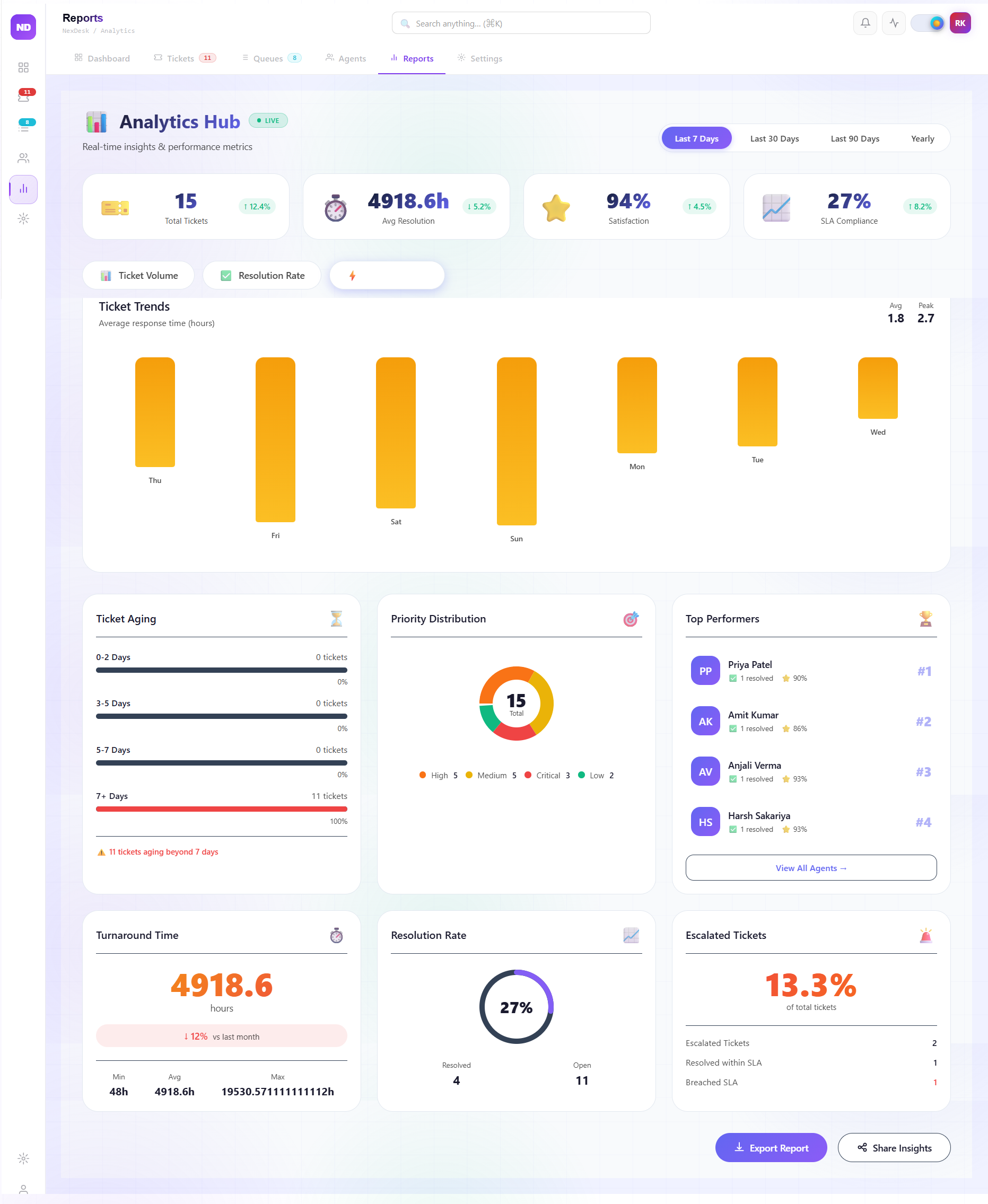
Reports & Analytics
- Aging analysis surfaces long-pending work patterns and recurring backlog hotspots.
- Resolution trends provide a live view of closure momentum across support queues.
- Escalation signals help leadership prioritize high-impact cases and reduce operational risk.
Settings & Security
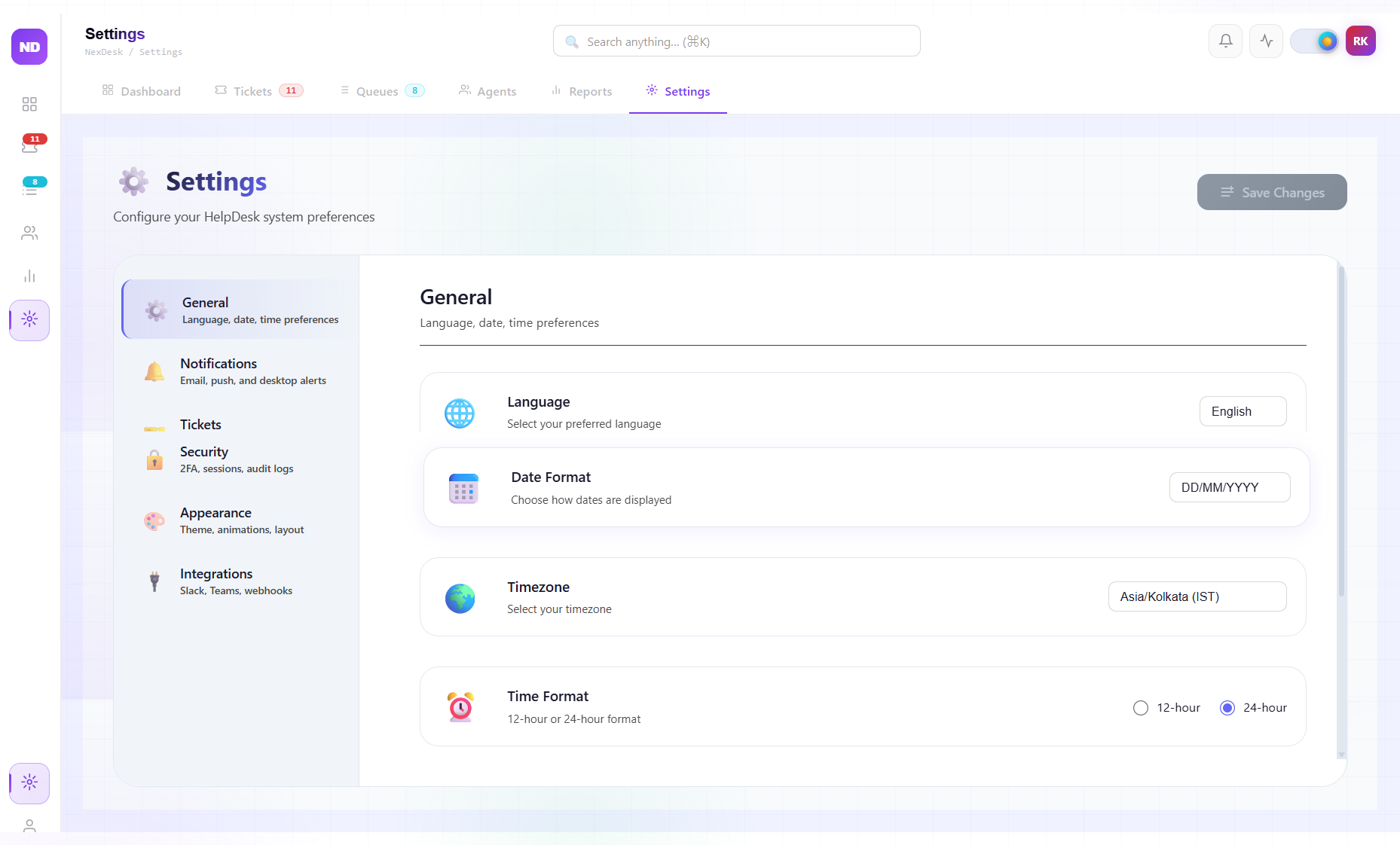
- Admins can manage language, timezone, and regional formatting preferences for consistent operations.
- Slack and Microsoft Teams integration keeps service notifications connected in real time.
- Security controls include 2FA enablement and audit-log visibility for compliance review.